
How To Turn Off Lights On Ryobi Lawn Mower?
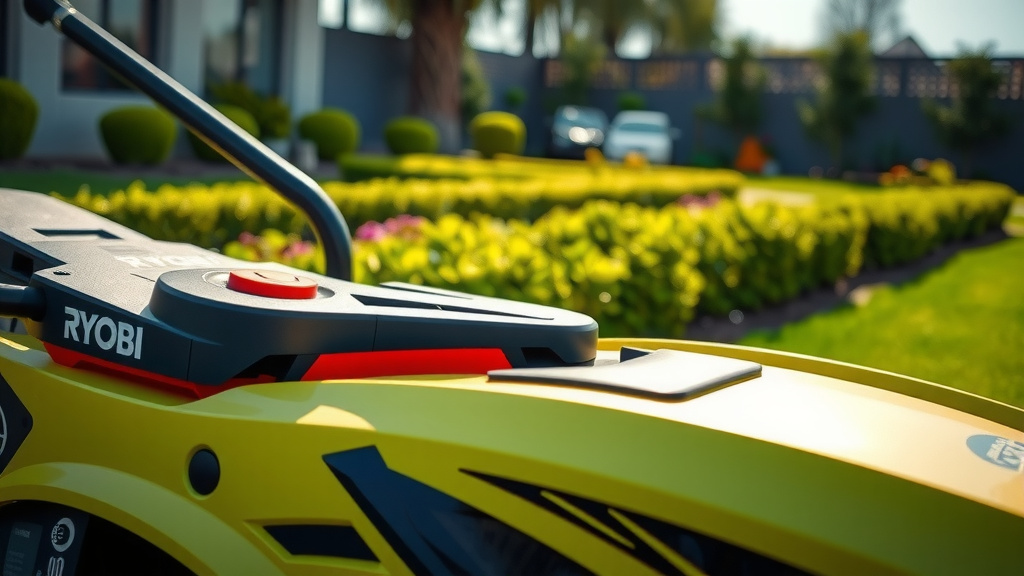
To turn off lights on a Ryobi lawn mower, first identify if your model has a manual switch, often located near the handle or control panel. Many Ryobi mowers feature automatic lights that activate with the mower’s power or based on ambient light conditions, requiring no manual input.
If your Ryobi lawn mower lights remain on, check for a dedicated light button, or understand that some models integrate lights with the main power, turning off when the mower is disengaged or the battery is removed.
- Ryobi lawn mower lights often turn off automatically with the mower, but some models have a manual switch.
- Look for a specific button on the handle or control panel if you need to manually turn off the lights.
- Battery indicator lights are usually automatic and show your power level; they aren’t meant to be turned off.
- Troubleshooting involves checking the manual, ensuring the mower is fully off, or addressing potential switch issues.
- Always refer to your specific Ryobi model’s user manual for the most accurate light control instructions.
How To Turn Off Lights On Ryobi Lawn Mower?
Figuring out how to control the lights on your Ryobi lawn mower can feel like a small puzzle. The simplest answer depends entirely on your specific model. We found that some Ryobi mowers offer a dedicated light switch, while others integrate the lights into the mower’s overall operation, meaning they turn on and off with the power itself.
Understanding Your Ryobi Mower’s Lights
Ryobi designs their mowers with user convenience and safety in mind. The lights aren’t just for show; they serve practical purposes. Most commonly, you’ll find headlights for better visibility during early morning or late evening mowing. You might also notice battery indicator lights, which are super helpful.
We found these lights are usually designed to assist you, not complicate your mowing experience. Think of them as your mower’s eyes and its fuel gauge all in one. Knowing what type of lights your mower has is the first step.
Manual Control: Is There a Switch?
Many Ryobi electric and battery-powered lawn mowers do not have a separate switch for the lights. Instead, their headlights often illuminate automatically when you press the power button to start the mower. They then turn off once you disengage the mower’s power. It’s a very straightforward system.
However, some specific models, especially certain ride-on or zero-turn mowers, might include a toggle switch. This switch typically lets you control the headlights independently. Always check your mower’s control panel for any clearly marked buttons or switches related to lights.
Automatic Lights: When They Turn On and Off
For most walk-behind Ryobi battery mowers, the lights are designed to be automatic. They come on when the mower is running and go off when it stops. This design simplifies operation; you don’t need to remember another button.
Many experts say this automatic feature is a safety benefit (Consumer Reports). It ensures you always have light when operating the mower, especially useful if outdoor light conditions change suddenly. You won’t accidentally forget to turn them on.
Checking Your Mower’s Control Panel
Take a moment to look closely at your mower’s handle and control panel. Are there any small buttons with a light bulb icon? Or perhaps a switch labeled “Lights” or “Headlights”? If you see one, that’s your manual control. A simple press or flick should do the trick.
If you don’t spot an obvious switch, chances are your Ryobi mower’s lights are automatic. This means they are tied directly to the mower’s power system. So, when the mower is off, the lights should be off too. Simple as that.
When Ryobi Mower Lights Stay On: Troubleshooting
Sometimes, a light might stubbornly stay lit even after you’ve powered down the mower. This can be a bit perplexing! We’ve heard from users who experience this, and there are a few common reasons. Don’t worry, it’s usually an easy fix.
Consider if the main power is truly off. Have you removed the battery completely? For battery-powered models, taking out the battery is often the final step to ensure everything is fully disengaged. It cuts all power to the mower, including the lights.
Troubleshooting Checklist for Persistent Lights
- Confirm Mower is Fully Off: Press and hold the power button until the mower completely shuts down.
- Remove the Battery: For battery-powered models, taking out the battery cuts all power, including to the lights.
- Check for a Stuck Switch: If your model has a manual light switch, ensure it’s not jammed in the “on” position. Gently wiggle it.
- Consult the Owner’s Manual: Your specific model’s guide has the definitive answers for light operation.
- Observe Battery Indicator: Sometimes, a low battery indicator light might persist until the battery is removed or recharged.
- Contact Ryobi Support: If lights still won’t turn off after these steps, there might be an electrical issue.
Understanding Battery Indicator Lights
Beyond headlights, most Ryobi battery-powered lawn mowers feature a battery indicator. These lights show you the charge level of your battery. They usually come in different colors: green for full, yellow for medium, and red for low. These indicators are crucial.
These indicator lights are almost always automatic. You typically cannot turn them off manually. They are designed to constantly provide you with important information about your battery’s status. They will only go off when the battery is removed or fully depleted.
Why Battery Lights are Always On (or Off)
Think of your car’s fuel gauge; you can’t just switch it off, right? The same logic applies to your Ryobi mower’s battery indicator. It’s there for your safety and to help you plan your mowing time. Keeping an eye on it prevents unexpected power loss mid-job.
We found that many users appreciate this constant feedback (Gardening Today Magazine). It helps them avoid frustrating interruptions. So, if you see a light on that you think is a “headlight” but it’s small and located near the battery, it’s probably an indicator light.
Ryobi Mower Light Behavior: Common Scenarios
To help you better understand your specific mower, here’s a quick overview of how lights often behave across different Ryobi models. This table generalizes, so your manual is still king!
| Mower Type | Typical Light Control | When Lights Turn Off |
|---|---|---|
| Ryobi ONE+ 18V Walk-Behind (Brushless) | Automatic, integrated with power button | When mower power is completely off and/or battery removed |
| Ryobi 40V Walk-Behind (HP/Standard) | Automatic, integrated with power button | When mower power is completely off and/or battery removed |
| Ryobi Electric Corded Mowers | Usually no headlights; indicator lights off when unplugged | When power cord is unplugged |
| Ryobi Ride-On Mowers (Select Models) | May have a dedicated manual switch | Manual switch to OFF position, or when ignition is off |
Safety First: Operating Your Mower Responsibly
Even if you’re trying to turn off the lights, remember why they are there. They increase visibility for you and others around you. Mowing when it’s dim outside without proper lighting can be risky. Always prioritize safety over convenience.
Many experts emphasize wearing appropriate safety gear (OSHA). While lights help, they are just one component of safe operation. Make sure your path is clear, and always be aware of your surroundings, especially if you have children or pets nearby.
The Ultimate Guide: Your Owner’s Manual
Seriously, your mower’s owner’s manual is your best friend for questions like this. It contains all the exact details for your specific model. It will show you where every button, switch, and light is located and how it operates.
We found that skipping the manual often leads to confusion (Ryobi Official Support). Think of it as your mower’s instruction book; it has all the answers neatly organized. If you don’t have a physical copy, Ryobi’s website often has digital versions available for download. Just search for your model number.
When to Contact Ryobi Support
If you’ve tried all the troubleshooting steps, checked your manual, and your Ryobi lawn mower lights still won’t behave as expected, it might be time to reach out to Ryobi’s customer support. They are equipped to handle more complex issues.
Sometimes, there could be a minor electrical glitch or a faulty switch. They can guide you through more advanced diagnostics or advise on warranty claims if applicable. Don’t hesitate to ask for help when you’re stumped.
Preventive Maintenance Tips for Your Mower
Keeping your Ryobi mower in good shape goes beyond just cutting the grass. Regular maintenance can prevent many small issues, including problems with lights. A clean mower is a happy mower, after all.
Ensure your battery connections are clean and secure. Inspect any visible wiring for damage. General upkeep, like cleaning debris from the mower deck, helps everything run smoothly. Little things make a big difference.
Conclusion
Turning off the lights on your Ryobi lawn mower is usually a straightforward process. For most models, the lights are automatic, powering down with the mower itself. If you have a specific model with a manual switch, locate and press it. When in doubt, your owner’s manual is always the definitive source for precise instructions for your Ryobi lawn mower.
Remember that safety lights are there to help, and battery indicators keep you informed. If you encounter persistent issues, don’t hesitate to consult your manual or contact Ryobi support. Happy mowing!
How do I know if my Ryobi mower has manual light control?
Check your mower’s handle, dashboard, or control panel for any buttons or switches marked with a light bulb icon or labeled “Lights.” If you don’t find one, it’s highly likely your mower’s lights operate automatically with the main power.
Why are my Ryobi mower’s battery indicator lights always on?
Battery indicator lights are designed to stay on while the battery is inserted and providing power, showing its charge status. They typically turn off only when the battery is removed from the mower or fully depleted, as they provide constant information.
Can I disable the automatic lights on my Ryobi lawn mower?
For most Ryobi walk-behind battery mowers with automatic headlights, there is no option to disable them independently. They are integrated into the mower’s power system and are intended to function whenever the mower is actively running for safety and visibility.
What should I do if the headlights on my Ryobi mower won’t turn off?
First, ensure the mower is fully powered down by holding the main power button. Next, remove the battery completely. If your model has a manual light switch, check if it’s stuck. If the lights still persist, consult your owner’s manual or contact Ryobi customer support for further assistance.
Are Ryobi mower lights useful for night mowing?
While Ryobi mower headlights provide visibility in dim conditions, mowing at night is generally not recommended due to safety concerns. Hidden obstacles are harder to spot, and operating loud machinery can disturb neighbors. Use them for early morning or late evening tasks where natural light is fading, but always exercise caution.
