
How To Register A Toro Lawn Mower?
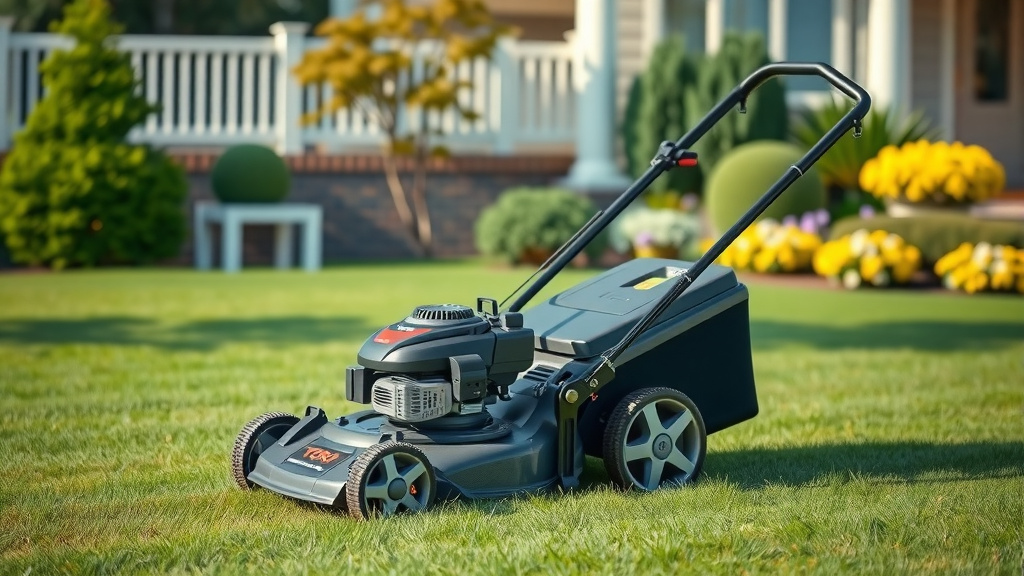
You can register your Toro lawn mower primarily through their official website, making sure to have your model and serial numbers handy.
This quick process helps activate your warranty and ensures you receive important product updates directly from Toro.
Thinking about how to register your new Toro lawn mower? It’s a smart move! Here’s a quick summary of what you’ll find in this guide:
- Discover the simple steps to register your Toro mower online.
- Understand why registration is so important for your warranty.
- Learn what specific details you’ll need to have ready beforehand.
- Get tips on finding your model and serial numbers easily.
- Find out about common questions, like what to do if you bought a used mower.
How To Register A Toro Lawn Mower?
Registering your Toro lawn mower is straightforward, typically done online via the official Toro website. You’ll need key details like your model and serial numbers, along with your purchase information.
Why Bother Registering Your Toro Mower?
You might wonder, “Do I really need to register this?” The answer is a resounding yes! Registering your Toro mower is not just a formality; it’s a smart step for any owner.
The primary reason, as we found through research, is activating your product warranty. Without registration, proving your purchase date for warranty claims can become much harder (Toro Customer Support information).
Beyond warranty, registration connects you with important safety updates. If Toro issues a product recall or safety notice, they can reach you directly. This ensures your safety and helps you keep your equipment in top shape.
Also, registering your mower makes customer service a breeze. When you call for support, having your product registered means they can quickly pull up your machine’s information, saving you time and hassle. It’s like having a VIP pass for support.
What Information Do You Need Ready?
Before you even open your browser, gather a few pieces of essential information. This will make the registration process super smooth and quick.
- Your Toro model number.
- The serial number of your mower.
- The date you purchased the mower.
- The dealer’s name and location where you bought it.
- Your personal contact information (name, address, email).
Finding Your Toro Model and Serial Numbers
Where are these elusive numbers hiding? Don’t worry, they’re usually easy to find. We found that most Toro mowers have a sticker or plate with this information.
For walk-behind mowers, check the rear of the deck, near the engine, or on the frame under the seat if it’s a rider. It’s often a metallic or white label. Look for “MODEL” and “SERIAL” clearly printed. Sometimes the serial number is etched directly into the frame.
Step-by-Step Online Registration Process
Ready to get this done? Let’s walk through the most common way to register your Toro lawn mower: online. It’s quick, easy, and you can do it from anywhere.
Visit the Official Toro Website
First things first, open your web browser and navigate to the official Toro website. Look for a section often called “Product Registration” or “Support.” We found this is usually located in the header or footer menu.
Locate the Registration Form
Once on the support page, you’ll see options for product registration. Click on the link that says “Register Your Product” or similar. You might need to select “Lawn Mower” as the product type.
Input Your Mower’s Details
This is where those numbers you gathered come in handy. Carefully enter your model number and serial number into the designated fields. Double-check for any typos!
Provide Purchase Information
Next, you’ll enter the date you bought your mower. You’ll also need to input the name of the dealer or retailer where you made your purchase. If you bought it from a large chain store, just enter their name.
Fill in Your Personal Details
The form will ask for your name, address, email, and phone number. This information allows Toro to link the product to you and send important updates. Ensure your email is correct for future communications.
Review and Submit
Before hitting “Submit,” take a moment to review all the information you’ve entered. Make sure everything is accurate. Once you’re confident, click the submit button. You might receive a confirmation email shortly after.
Here’s a quick checklist to make sure you’ve got everything covered:
- Locate model and serial numbers.
- Note down the purchase date.
- Remember your dealer’s name.
- Visit the official Toro product registration page.
- Enter all required details accurately.
- Submit the form and check for confirmation.
What If You Can’t Register Online?
While online registration is the most common method, what if it’s not working or you prefer another way? We found that in some cases, you might have other options.
Some dealers can help you register your product at the time of purchase. It’s worth asking them if they offer this service. It saves you a step later on.
Alternatively, you can always contact Toro customer service directly. Many experts say a quick phone call to their support line can help you complete the registration process over the phone. Have all your details ready for them.
The Perks of Registration: More Than Just a Warranty
We’ve touched on warranty, but let’s look at the bigger picture. Registering your Toro mower truly offers a few extra perks that make your life easier.
Imagine a scenario: a small, but important, update for your mower’s engine. If you’re registered, Toro can send you a direct notification. This helps you stay ahead of maintenance and keep your mower running perfectly.
It also streamlines any future parts ordering. If you ever need a replacement part, having your mower’s details on file with Toro can help you quickly identify the exact component you need. It’s like having a digital owner’s manual always on call.
| Information Needed | Where to Find It |
|---|---|
| Model Number | Sticker on the mower deck or frame |
| Serial Number | Sticker or etched on the frame |
| Purchase Date | Sales receipt or purchase invoice |
| Dealer Name | Sales receipt or your memory! |
| Your Contact Info | Your personal details |
When Should You Register Your New Toro?
The best time to register your Toro lawn mower is as soon as possible after purchase. We found that waiting too long can lead to forgetting, or misplacing your purchase receipt.
Most manufacturers recommend registering within 30 days of purchase. This ensures your warranty starts correctly from day one. Don’t procrastinate; do it while it’s fresh in your mind!
Bought a Used Toro Mower? What Now?
What if you didn’t buy your Toro mower brand new from a dealer? Can you still register it? This is a common question, and the answer can be a bit nuanced.
Generally, warranties are non-transferable unless specified otherwise by the manufacturer. So, a used mower likely won’t come with the original warranty. However, you can still register a used mower in your name. This helps Toro track ownership for safety notices or recalls.
To register a used mower, you’ll still need the model and serial numbers. For the purchase date, use the date you acquired it. For the dealer, you might enter “private sale” or “used dealer” if applicable. It’s about updating ownership for future communications. Many experts suggest this for safety and accountability reasons.
Conclusion
Registering your Toro lawn mower is a simple, yet incredibly beneficial step for any owner. It’s not just about ticking a box; it’s about protecting your investment with a solid warranty and staying informed about vital product updates.
By taking a few minutes to gather your information and complete the online form, you’re setting yourself up for a smoother, worry-free lawn care experience. So, go ahead, get your Toro registered, and enjoy your pristine lawn with complete peace of mind!
Can I register my Toro mower without a serial number?
No, you typically cannot register your Toro lawn mower without both the model and serial numbers. These unique identifiers are crucial for Toro to correctly identify your specific product, activate its warranty, and track it for any safety or service bulletins. If you cannot find your serial number, contact Toro customer support for guidance.
How long does Toro mower warranty last?
The duration of a Toro mower warranty can vary significantly depending on the specific model and type of mower you purchased. Many residential Toro mowers come with a 3-year limited warranty, while some commercial models or specific components might have different terms. Always check your owner’s manual or the product page on Toro’s website for exact warranty details for your model.
What happens if I don’t register my Toro lawn mower?
If you don’t register your Toro lawn mower, the most significant impact is that proving your purchase date for warranty claims can become very difficult. This might lead to issues if your mower needs repairs under warranty. You also risk not receiving important safety recall notices or product updates directly from Toro, potentially affecting your safety or the mower’s performance.
Can I register an older Toro mower that I’ve owned for years?
Yes, you can often register an older Toro mower, even if you’ve owned it for years. While the original warranty might have expired, registering it ensures Toro has your contact information for any safety notices or recalls that might apply to your model. You’ll still need the model and serial numbers to complete the registration process.
Is there a cost to register a Toro lawn mower?
No, there is absolutely no cost associated with registering your Toro lawn mower. Product registration is a free service provided by Toro to help customers activate their warranty, receive important product information, and streamline future customer support interactions. It’s a complimentary step designed to enhance your ownership experience.
