
Why Is My Robot Mower Cutting Unevenly?

Your robot mower is cutting unevenly because of a few common culprits. Most often, it’s due to a dull blade, uneven terrain, or incorrect mower settings. Your mower might also struggle if the grass is too tall or wet.
Uneven cuts can be frustrating, turning your dream lawn into a patchy mess. We found that understanding these issues helps you get back to that perfectly manicured look. It’s often a simple fix, like adjusting your mower’s height or checking for obstructions in its path.
- Dull blades are a common cause.
- Uneven terrain can trick your mower.
- Incorrect height settings lead to patches.
- Wet or overly tall grass is problematic.
- Obstructions can prevent proper cutting.
Let’s walk through the most likely reasons your robot mower isn’t giving you that perfectly uniform cut. We’ll help you get your lawn looking its best again.
Troubleshooting Your Robot Mower’s Uneven Cutting
Your robot mower isn’t living up to its lawn-perfecting promise. You’re seeing patches and stripes where you expected a smooth, uniform carpet of green. It’s a common frustration, but usually, the fix is within reach. Let’s dive into what might be causing those uneven cuts and how you can get your mower back on track.
The Blade Factor: Sharpness and Condition
The most frequent reason for an uneven cut is surprisingly simple: your mower’s blades. Think of them like the teeth on a pair of scissors. If they’re dull, they’ll chew and tear the grass instead of giving it a clean slice.
Dull Blades Lead to Ragged Edges
When blades get dull, they don’t cut the grass cleanly. Instead, they bruise the tips. This leads to grass blades turning brown or yellow at the top, giving your lawn a sickly, uneven appearance. You might notice ragged edges on the grass blades themselves if you look closely. This is a sure sign your blades need attention (Robotics in Agriculture).
Checking Your Blades
Most robot mowers use small, sharp blades. They are often designed to be replaced rather than sharpened. Consult your mower’s manual. It will show you how to safely remove and inspect the blades. If they look nicked, chipped, or dull, it’s time for new ones. We found that replacing blades every 2-3 months, depending on lawn size and usage, is a good practice.
Blade Installation Matters
Even with new blades, improper installation can cause problems. Make sure they are tightened correctly and facing the right direction. A loose blade won’t spin efficiently. A blade installed backward won’t cut at all. Always follow the manufacturer’s instructions for replacing blades.
Terrain and Obstacles: The Uneven Ground Game
Your robot mower navigates based on its sensors and programming. If the ground itself isn’t cooperative, the mower can struggle to maintain a consistent cutting height.
Understanding Your Lawn’s Contours
Does your lawn have hills, dips, or bumps? Robot mowers are designed to handle some variation, but extreme unevenness can trick them. The mower might lift too high over a bump, missing grass, or dip too low into a hollow, scalping the turf. We’ve seen that a lawn with significant slopes often requires specific mower models designed for such conditions.
What to Do About Uneven Terrain
For minor bumps and dips, your mower might adjust automatically. However, if you have larger issues, you might need to address them physically. Filling in small holes with topsoil and seed can help. For larger undulations, consider professional landscaping. The goal is to create a smoother surface for your mower to work with.
Obstructions in the Mowing Path
Anything that blocks the mower’s path can disrupt its cutting pattern. This includes tree roots, stones, toys left in the yard, or even pet waste. When the mower hits an obstruction, it might stop, change direction, or try to cut around it. This inevitably leads to missed patches or uneven lines.
Regularly walk your lawn before the mower starts its cycle. Remove any debris or foreign objects. Think of it as prepping your mower’s runway. This simple check can prevent many cutting inconsistencies.
Mower Settings: Getting the Height Just Right
Robot mowers offer a surprising amount of customization. If these settings aren’t dialed in, you’ll see uneven results.
The Importance of Cutting Height
The most critical setting is the cutting height. If it’s set too low, you risk scalping the grass, especially in dry conditions. If it’s too high, you’ll have longer patches. Most manufacturers recommend cutting no more than one-third of the grass blade at a time (Turfgrass Management Guide).
Your robot mower likely has adjustable cutting heights. You might set this manually or through an app. We found that experimenting with slight adjustments is key. Start with a recommended height for your grass type and adjust up or down as needed.
Adjusting Cutting Height for Different Conditions
Consider the season and grass health. In the peak of summer, you might want to set the mower slightly higher to help the grass retain moisture. After a period of rapid growth, you might need to lower it slightly. Your mower’s app often provides guidance on optimal settings.
Edge Cutting Settings
Many robot mowers have specific settings for cutting along edges or boundaries. If this feature is not set up correctly, or if the mower isn’t designed for precise edge cutting, you might see an unmowed strip along fences or garden beds. Check your manual for edge trimming capabilities and how to optimize them.
Grass Conditions: Wet, Tall, or Thick?
The state of your grass plays a significant role in how well your robot mower performs.
The Problem with Wet Grass
Cutting wet grass is generally not recommended for any mower, including robotic ones. Wet grass clumps together, making it harder to cut cleanly. It can also clog the mower’s deck and blades. More importantly, wet grass can be slippery for the mower’s wheels, leading to skidding and uneven coverage. Many manufacturers advise against mowing wet lawns (Lawn Care Professionals Association).
Try to let your lawn dry out before the mower starts. If your mower has a rain sensor, ensure it’s functioning correctly to prevent it from running in damp conditions.
Overly Tall or Thick Grass
Robot mowers are designed for regular maintenance, not for tackling overgrown jungles. If the grass has grown too tall or is excessively thick, the mower might struggle. It can get bogged down, leading to missed spots or an inability to cut effectively. The blades might not be able to handle the volume.
If your grass is significantly overgrown, you’ll likely need to do a manual mow first with a traditional mower. Set your robot mower to a higher cutting height and let it maintain the lawn once it’s back under control. This prevents the mower from being overwhelmed.
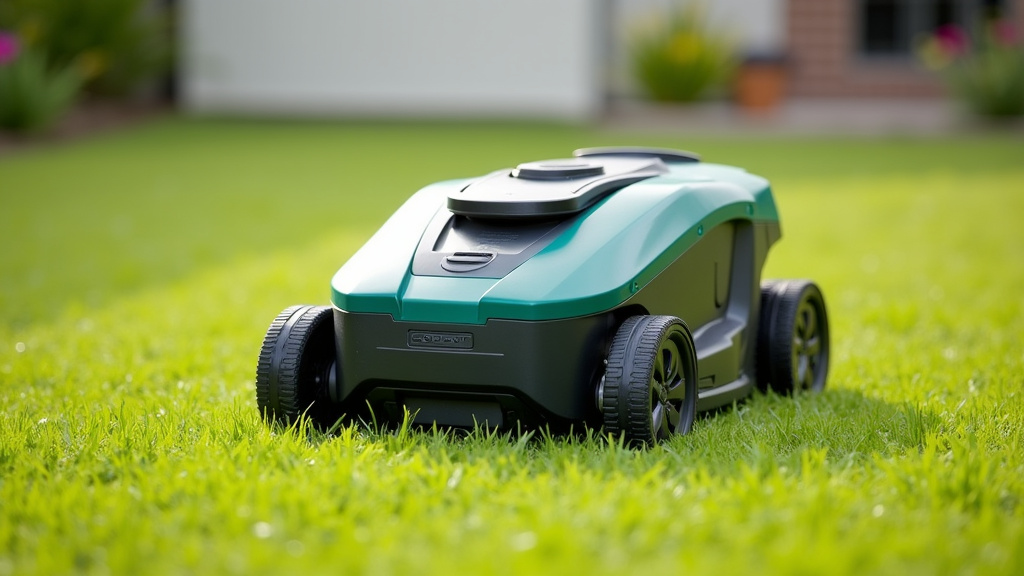
Wheel and Drive System Checks
Sometimes, the issue isn’t with the cutting system itself but with how the mower moves across the lawn.
Tire Tread and Traction
Worn or dirty tires can reduce traction. If the wheels slip, the mower won’t move at a consistent speed, resulting in uneven cuts. Check the wheel treads for wear and tear. Clean any mud or debris that might be lodged in them. If your mower is consistently slipping, especially on slopes, it might be time for new tires.
Drive Motor Performance
The drive motors propel the mower. If one motor is weaker than the other, the mower might pull to one side. This can cause it to overlap passes unevenly or miss sections. You might notice the mower drifting or turning slightly on its own. This often requires professional diagnosis and repair.
Sensor and Navigation Issues
Modern robot mowers rely on a complex array of sensors to navigate. If these aren’t working correctly, the mower can get lost or confused.
Clean Sensors are Key
Sensors for collision detection, lift, and tilt can become dirty or obstructed. Dust, mud, or grass clippings can block their view. This can cause the mower to stop prematurely or miss entire sections of the lawn. Refer to your manual for the location of your mower’s sensors and how to clean them gently with a damp cloth.
Boundary Wire Problems
For mowers that use a boundary wire, any break or issue with the wire can cause the mower to go where it shouldn’t or stop working altogether. Check the entire length of the boundary wire for damage. Ensure the connection points at the charging station are secure.
Software and Firmware Updates
Like any smart device, robot mowers benefit from software updates. These updates can fix bugs, improve navigation algorithms, and enhance cutting performance.
Keeping Your Mower’s Software Current
Check your mower’s app or the manufacturer’s website for available updates. Installing the latest firmware can sometimes resolve unexpected behaviors, including uneven cutting. It’s a good practice to ensure your mower is always running on the most current software version.
A Quick Checklist for Your Robot Mower’s Uneven Cut
Let’s summarize the most common fixes. Run through this quick checklist:
- Inspect and replace dull or damaged blades.
- Clear your lawn of all obstructions.
- Verify your cutting height settings.
- Ensure the mower isn’t running on wet grass.
- Clean all external sensors and wheels.
- Check for any available software updates.
Conclusion
Your robot mower’s uneven cutting likely stems from a few common issues. You’ve learned that dull blades, uneven terrain, and incorrect height settings are frequent culprits. Remember to also check for obstructions and ensure your grass isn’t too tall or wet. By systematically going through these checks, you can identify the problem and get your mower back to delivering that perfectly manicured lawn you expect. Take a moment today to inspect your mower’s blades – it’s often the simplest fix for a greener, more uniform yard.
Frequently Asked Questions
How often should I replace my robot mower’s blades?
We found that replacing your robot mower’s blades every 2 to 3 months is a good general rule. This timeframe can vary depending on your lawn size, grass type, and how often you use the mower. Regularly inspecting the blades for nicks or dullness will help you determine the best replacement schedule for your specific needs.
Can a robot mower handle slopes or uneven ground?
Most robot mowers can handle moderate slopes and minor unevenness. However, very steep inclines or significant dips can challenge their navigation and cutting consistency. For lawns with substantial terrain variations, you might need a specialized model or consider landscaping improvements to create a smoother mowing surface.
What’s the best way to deal with wet grass and my robot mower?
It’s best to avoid mowing wet grass with your robot mower. Wet grass clumps easily and can reduce traction, leading to skidding and uneven cuts. We recommend letting your lawn dry out completely before running the mower, or ensuring its rain sensor is functioning correctly to prevent operation during damp conditions.
My robot mower is leaving strips along the edges. What can I do?
This often relates to the mower’s edge-cutting settings or its physical design. Check your mower’s manual for specific instructions on optimizing edge trimming. Some models might require manual adjustments or additional accessories to achieve a clean cut right up to borders and fences.
What should I do if my robot mower seems to be pulling to one side?
If your mower consistently pulls to one side, it could indicate an issue with its drive motors. One motor might be weaker than the other, causing uneven movement. We suggest checking the wheels for obstructions or damage first, but persistent pulling often requires professional diagnosis and repair.
