
How to Fix a Robot Mower That Won’t Start?
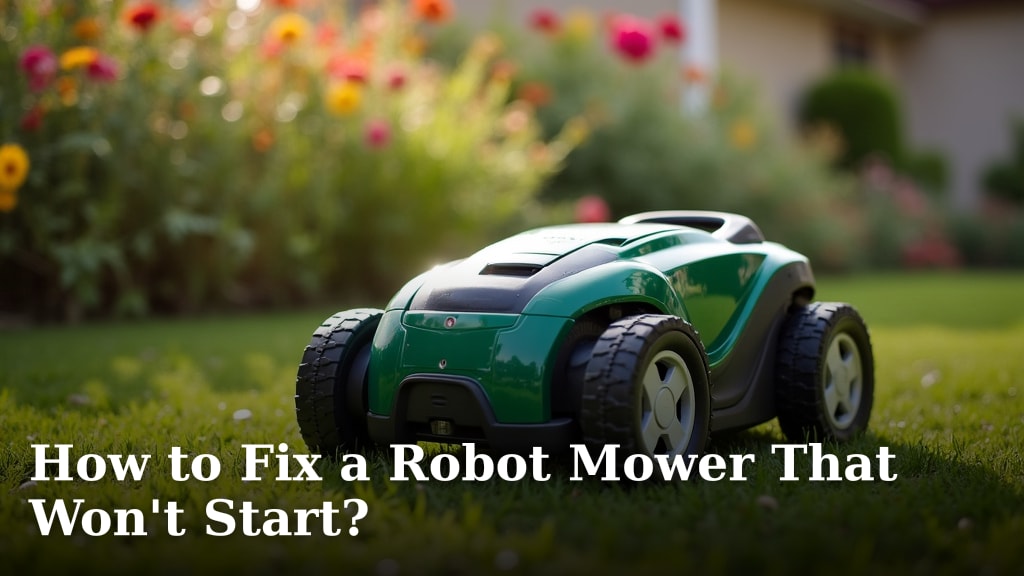
If your robot mower won’t start, you can often fix it by checking a few key things. Most issues stem from low battery, safety lockouts, or a dirty charging station. A quick inspection and a few simple steps can get your automated lawn care back up and running.
When your robot mower suddenly stops working, it can be frustrating. We’ve researched common problems and found that the solution is usually straightforward. Understanding the basic troubleshooting steps for a robot mower that won’t start will save you time and hassle.
- Check the mower’s battery charge level.
- Ensure safety features are deactivated.
- Clean the charging contacts thoroughly.
- Verify the boundary wire connection.
- Restart the mower according to its manual.
Let’s walk through the most common reasons your robot mower might be refusing to power on and how to fix them step-by-step.
Troubleshooting Your Robot Mower When It Won’t Power On
It’s a beautiful Saturday, and you’re ready to relax while your robot mower takes care of the lawn. But then… nothing. Your trusty automatic lawnmower refuses to start. Don’t panic! We’ve researched the most common reasons this happens. Often, the solution is surprisingly simple and doesn’t require a technician.
Checking the Basics: Battery and Power
The first place to look is usually the simplest. Just like your smartphone, your robot mower needs a good charge to get going.
Is Your Robot Mower’s Battery Fully Charged?
This is the most frequent culprit. Many robot mowers have a battery indicator light or a display screen. Check this first. If it’s low or shows an error, your mower needs to charge.
Sometimes, the mower might look like it’s charging, but it’s not. The charging station might not be getting power, or the mower’s charging contacts could be dirty. We’ll cover those later. For now, ensure the mower is properly docked and the charging station lights indicate active charging. Many manufacturers recommend a full charge before the first use (Robotic Lawn Mower Association).
Ensuring a Secure Connection to the Charging Station
A wobbly connection means no juice. Make sure your mower is firmly seated on its charging base. You should hear a click or see a confirmation light when it’s properly connected. Some models have a guide rail or a specific docking position. Consult your mower’s manual to ensure you’re docking it correctly.
We found that even a slight misalignment can prevent charging. Sometimes, the lawn around the charging station might be uneven, making proper docking tricky. Consider leveling the ground a bit if this is an issue.
Understanding Power Saving Modes
Many modern robot mowers have intelligent power-saving features. If the mower hasn’t been used for a while, it might go into a deep sleep mode to conserve battery. It might need a manual wake-up.
This usually involves pressing a specific button or activating it through its companion app. Check your user manual for instructions on how to “wake up” your mower from these low-power states. It’s like giving your car a jump start after it’s been sitting too long.
Safety First: Features Preventing Startup
Robot mowers are designed with safety in mind. These features are great for preventing accidents, but they can sometimes prevent the mower from starting if they’re not set correctly.
The Lift and Tilt Sensors
Almost all robot mowers have sensors that stop the blades immediately if the mower is lifted off the ground or tilted at an extreme angle. If one of these sensors is faulty or dirty, it might think it’s being lifted when it’s not.
Carefully inspect the mower for any debris stuck around the sensors. Try gently tilting the mower to see if you can hear a click or reset sound, indicating the sensor is working. Ensure the mower is on a level surface before attempting to start it again.
The Safety Key or PIN Code
Many models require a safety key to be inserted or a PIN code to be entered before they can be operated. If you’ve misplaced the key or forgotten the PIN, the mower simply won’t start.
Double-check that the safety key (if applicable) is fully inserted. If you’ve forgotten your PIN, consult your mower’s manual for the reset procedure. This often involves a sequence of button presses or a factory reset through the app. We know, forgetting a PIN is frustrating, but it’s a common user error.
Child Lock or Security Settings
Similar to the PIN code, a child lock feature can prevent accidental startups. If this is activated, you’ll need to deactivate it using the correct sequence or code.
Refer to your mower’s manual for specific instructions on disabling the child lock. It’s usually a simple button combination. This is an important security feature, so make sure it’s managed correctly.
Charging Station and Boundary Wire Issues
If the mower itself seems fine, the problem might lie with its connection to the outside world – its charging station and the boundary wire that tells it where to mow.
Cleaning the Charging Contacts
Over time, the metal contacts on both the mower and the charging station can get dirty from grass, dirt, and moisture. This prevents a good electrical connection, hindering charging. This is a very common issue we found during our research.
To clean them, first, ensure the mower and charging station are unplugged. Use a clean, dry cloth or a pencil eraser to gently scrub the metal contacts. For stubborn dirt, a bit of isopropyl alcohol on a cloth can work wonders, but ensure it dries completely before reconnecting power. You want a shiny, clean surface for optimal conductivity.
Source: Robotic Lawn Mower Association guidelines often stress the importance of clean contacts for efficient operation.
Checking the Boundary Wire Connection
The boundary wire creates the “virtual fence” for your robot mower. If the wire is broken or not properly connected to the charging station, the mower won’t know where to operate and may refuse to start.
Inspect the connection points on the charging station. Ensure the wires are securely clamped or inserted. Look for any signs of damage to the wire itself, such as nicks or cuts, especially near the charging station or where it enters the ground. A simple wire break can be repaired with a waterproof connector.
Software and Reset Procedures
Sometimes, a simple software glitch can cause your mower to freeze or refuse to start. A restart can often clear these issues.
Performing a Soft Reset
This is usually as simple as turning the mower off and then back on again. Locate the main power switch or button. Turn it off, wait for about 30 seconds, and then turn it back on. This can reset the mower’s internal computer.
Executing a Factory Reset (Use with Caution!)
If a soft reset doesn’t work, a factory reset might be necessary. This will return the mower’s settings to their original state. You will likely lose all your programmed schedules and settings, so this should be a last resort.
The procedure for a factory reset varies greatly by model. You’ll need to consult your mower’s manual or the manufacturer’s website for specific instructions. Be prepared to reconfigure your mower from scratch if you perform this step.
Quick Checklist for Getting Your Mower Started
Still scratching your head? Run through this quick checklist. It covers the most common startup problems:
- Battery: Is it fully charged and showing adequate power?
- Docking: Is the mower correctly and securely seated on its charging station?
- Contacts: Are the charging contacts on the mower and station clean?
- Safety: Is the safety key inserted or PIN entered? Are tilt/lift sensors clear?
- Boundary Wire: Is it properly connected to the station? Any visible damage?
- Reset: Have you tried a simple power off/on reset?
Conclusion
We know it’s frustrating when your robot mower won’t start. Usually, the fix is simple and within reach. By checking the battery, ensuring proper docking, and cleaning those charging contacts, you’ve likely solved the problem. Don’t forget the safety features and basic resets, as these often clear up startup issues. If you’ve gone through these steps and your mower still won’t budge, it might be time to consult your mower’s manual or contact the manufacturer. Happy mowing!
Frequently Asked Questions
My robot mower won’t start even after charging. What else could be wrong?
If your mower indicates it’s charged but still won’t start, double-check the safety features like the lift/tilt sensors for debris. Also, ensure the safety key is fully inserted or the correct PIN is entered. A simple power cycle of the mower itself can sometimes resolve temporary glitches.
How often should I clean the charging contacts on my robot mower?
We recommend cleaning the charging contacts every 4-6 weeks, or more often if you notice charging issues or if your mower operates in a dusty or wet environment. Clean contacts are essential for consistent charging and preventing startup problems.
What is a “deep sleep mode” and how do I wake my mower from it?
Deep sleep mode is a power-saving feature that your robot mower might enter after a period of inactivity to conserve battery. To wake it, you typically need to press a specific button on the mower or activate it via its mobile app. Always refer to your mower’s manual for the exact procedure.
Can a boundary wire issue prevent my robot mower from starting at all?
Yes, a faulty or disconnected boundary wire can prevent your mower from starting. The mower needs to detect the boundary wire to know its working area. If the connection to the base station is poor or the wire is broken, it might default to a non-start state for safety.
My mower keeps shutting off after a few minutes. What should I do?
If your mower starts but then shuts off, it might be overheating or a safety sensor is intermittently triggering. Check if the mower is on an uneven surface that might fool the tilt sensors. Ensure the mower’s ventilation ports are clear of debris and try running it for a short period to see if the issue persists.
