
How To Register Greenworks Lawn Mower?
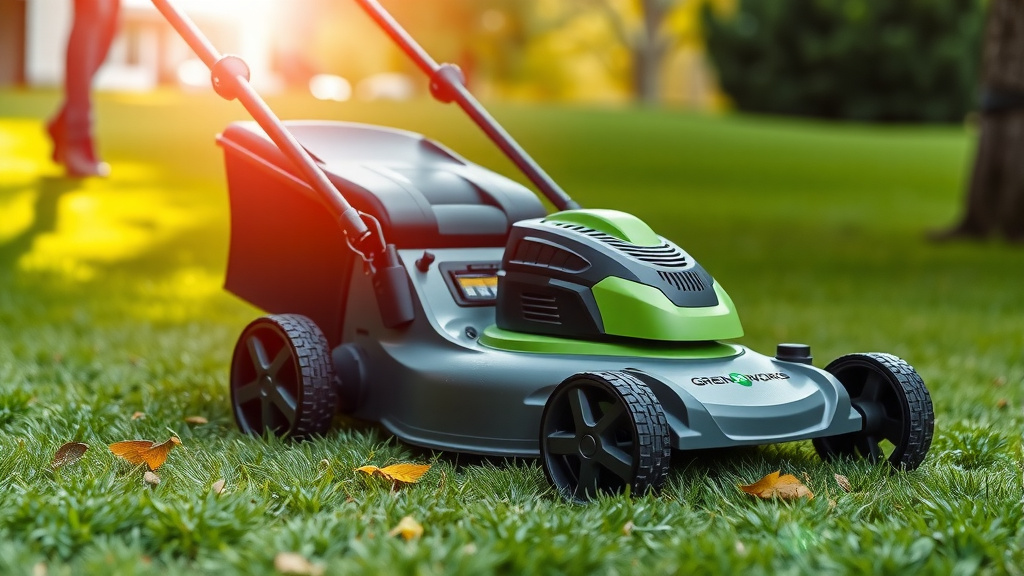
To register your Greenworks lawn mower, visit the official Greenworks website’s product registration page.
You will need your model number, serial number, purchase date, and retailer information readily available to complete the online form.
- Get your Greenworks mower’s model and serial numbers ready.
- Find your purchase date and the store where you bought it.
- Visit the Greenworks official website for product registration.
- Fill out the simple online form with your details.
- Submit your information to complete the registration process.
How To Register Greenworks Lawn Mower?
Registering your Greenworks lawn mower is a straightforward process designed to secure your warranty and keep you informed. It typically involves visiting the Greenworks official website and inputting key product details.
Why Register Your Greenworks Mower?
Think of registration as getting an official ID card for your mower. It activates your warranty, offering peace of mind should any issues arise. Many experts say this step is a smart move for all new power tool owners.
Beyond warranty protection, registration helps Greenworks quickly assist you with support questions. You might even receive important product updates or safety notices directly.
Gather Your Essentials First
Before you jump online, collect a few pieces of information. This preparation makes the registration process quick and smooth. You will need details about your specific mower and its purchase.
Having these details handy prevents any frustrating pauses during the online form. It’s like gathering ingredients before starting a recipe; everything goes better when prepared.
Finding Your Greenworks Model and Serial Number
Knowing where to find your mower’s identification numbers is key. These unique codes are essential for registration. They act like your mower’s fingerprint, distinguishing it from all others.
Greenworks places these labels in visible, yet protected, spots. Take a moment to locate them before you begin the online process.
Deciphering Your Mower’s Identity
The model number tells Greenworks the exact type of mower you own. The serial number is specific to your individual unit. Research and found that these numbers are crucial for accurate product support (Greenworks Support Guides).
Here’s a common guide to where you might find them:
| Mower Type | Typical Location for Model/Serial Number |
|---|---|
| Corded Electric Mowers | On a sticker near the motor or underneath the deck. |
| Battery-Powered Mowers | On a label on the battery housing, under the battery compartment lid, or on the deck. |
| Walk-Behind Mowers | Often on a sticker attached to the deck, near the rear wheels, or on the handle base. |
| Ride-On Mowers | Typically under the seat, on the frame, or inside the engine compartment. |
Your Simple Greenworks Registration Steps
Once you have all your information ready, registering your Greenworks lawn mower is a breeze. Most people choose the online method, as it’s both fast and convenient.
Registering Online: The Quickest Path
The Greenworks website offers a user-friendly registration portal. This is often the most efficient way to get your mower registered. You can complete the process in just a few minutes.
Navigating the Greenworks Website
Start by heading to the official Greenworks Tools website. Look for a section often labeled “Support,” “Warranty,” or “Product Registration.” It’s usually found in the header or footer menu.
Click on the product registration link. You will be guided directly to the form designed for your new equipment. It’s built to be very intuitive.
Completing the Online Form
The online form will ask for the details you gathered earlier. This includes your model and serial number, purchase date, and retailer name. You will also provide your contact information.
Double-check everything before hitting the submit button. Accuracy here ensures your registration is valid and properly processed. It’s a quick verification, but an important one.
Other Ways to Register Your Mower
While online registration is popular, Greenworks understands not everyone prefers it. They offer alternative methods for your convenience. These options ensure everyone can register their equipment.
Call Them Up
You can usually register your mower by calling Greenworks customer support. A representative will walk you through the process. Have your product details ready before you dial.
Many find speaking to a person reassuring, especially if they have questions. You get direct answers and confirmation during the call.
Mail-In Option
Sometimes, your product packaging might include a registration card. You can fill this out and mail it back to Greenworks. This is a traditional method that still works.
Just remember to mail it promptly after your purchase. This ensures your warranty starts when it should. A postage stamp and a mailbox are all you need.
Avoiding Common Registration Mistakes
Nobody wants a registration hiccup. A few simple precautions can save you time and frustration. Let’s make sure your registration goes off without a hitch.
Accuracy is Key
Always double-check your model and serial numbers for typos. An incorrect digit could lead to issues with your warranty or support. It is like writing a check; details matter.
Ensure the purchase date is accurate, matching your receipt. This information is vital for validating your warranty period. A quick glance can prevent problems.
Holding Onto Your Receipt
Keep your original purchase receipt in a safe place. Many experts say this is a critical document, even after registration. It serves as proof of purchase if there’s ever a dispute.
Consider taking a photo of your receipt as a backup. Digital copies are a great way to safeguard important papers. Redundancy is your friend here.
Serial Number Safeguards
Make a note of your serial number in a separate place. If the sticker on your mower ever fades or gets damaged, you will have a record. Losing this number can cause headaches later.
A simple text file on your computer or a note in your phone can work wonders. This small step provides a safety net. Are you prepared if the sticker vanishes?
After You Register: What to Expect
Once your Greenworks lawn mower is registered, you might receive a confirmation email. This email confirms that your product is officially on file. It’s a reassuring message.
You are now officially set with your warranty in place. This means you can use your mower with confidence, knowing Greenworks has your back. Now, go enjoy your perfectly cut lawn!
Your Registration Checklist
To make sure you hit all the marks, here is a quick checklist:
- Did you find your model number?
- Do you have your serial number written down?
- Is your purchase date accurate?
- Do you know the retailer name?
- Have you confirmed all details on the registration form?
- Did you receive a confirmation after submission?
Caring For Your Greenworks Mower
Registering your mower is a fantastic first step. Now, let’s ensure it serves you well for years. Regular maintenance keeps your Greenworks equipment running smoothly.
Keep the blades sharp and the deck clean after each use. Store it in a dry place to protect it from the elements. A little care goes a long way in prolonging its life.
Conclusion
Registering your Greenworks lawn mower is an easy, yet important, step for any owner. It secures your warranty and connects you to valuable support and updates. By taking a few moments to gather your information and complete the process, you set yourself up for stress-free lawn care.
Whether you choose online registration or an alternative method, taking this step protects your investment. So, go ahead, get your Greenworks mower registered, and enjoy that beautiful, well-maintained lawn!
What if I lost my Greenworks owner’s manual?
If you lost your Greenworks owner’s manual, do not worry. You can usually find a digital copy on the official Greenworks Tools website. Just search for your specific model number in their support section, and you should be able to download it.
Can I register a used Greenworks lawn mower?
Generally, product warranties are for the original purchaser. While you might be able to create an account, the warranty coverage may not transfer with a used Greenworks lawn mower. It is best to check the specific warranty terms directly with Greenworks.
How long does the Greenworks mower warranty last?
The length of a Greenworks mower warranty varies by product model. Most tools come with a 3 or 4-year limited warranty for residential use. Always consult your product documentation or the Greenworks website for the exact terms specific to your model.
Do I need proof of purchase for warranty claims?
Yes, almost always. Greenworks, like most manufacturers, requires proof of purchase to validate any warranty claims. Keep your original sales receipt or a clear photo of it in a safe place. This document confirms your purchase date and helps authenticate your claim.
What if I cannot find my serial number?
If you truly cannot find your Greenworks mower’s serial number, try contacting Greenworks customer support directly. They may be able to help you locate it based on your model number or other identifying features. They are there to help with these kinds of situations.
