Understanding Your String Trimmer’s Battery Runtime
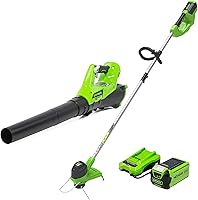
You’ve got your new cordless string trimmer, and you’re ready to tackle that overgrown yard. But how long will the battery actually keep going? We know this is a top question on everyone’s mind. Your average cordless string trimmer battery will give you anywhere from 20 to 45 minutes of trimming time on a single charge. For some of the more powerful, higher-voltage models, you might even stretch that to an hour. If you are weighing battery power against gas, see our guide to whether cordless trimmers are worth it.
But, like a perfectly baked cookie, the exact outcome depends on the ingredients and how you bake it. Several things can influence how long your battery lasts. You can compare that with cordless leaf blower battery life. Think of it like driving: a sports car uses more gas than a fuel-efficient sedan. We found that understanding these factors helps you plan your yard work more effectively.
Factors Affecting Battery Performance
Several key elements play a role in how long your string trimmer’s battery will keep humming. It’s not just about the battery’s size; other things influence its power output and lifespan.
Battery Voltage and Capacity (Ah)
When you look at battery specs, you’ll often see voltage (V) and Amp-hours (Ah). Higher voltage usually means more power. Think of it like water pressure in a hose. More pressure gets the job done faster, but it also uses water quicker.
Amp-hours tell you about the battery’s capacity – how much energy it can store. A battery with more Ah is like a bigger gas tank. It can hold more fuel, so it will run for longer. We found that a 4.0 Ah battery will generally last about twice as long as a 2.0 Ah battery, assuming all other factors are equal.
Trimming Conditions: The Grass Factor
The type and thickness of the grass or weeds you’re cutting make a big difference. Cutting through thick, tall, or wet grass requires more power from your trimmer. This drains the battery much faster than trimming light, dry grass. The type and thickness of the grass or weeds you’re cutting make a big difference, especially if you need a trimmer for tall grass.
We found that an area with waist-high weeds can cut your trimming time in half compared to a lawn with just a few days’ growth. It’s like trying to push a shopping cart through sand versus smooth pavement. The effort required is substantially different.
Trimmer Power Settings and Speed
Many cordless string trimmers come with variable speed controls or power settings. Using the trimmer on its highest setting or maximum speed will drain the battery more quickly. This is because the motor is working harder to spin the line at a higher RPM.
For lighter tasks, like tidying up edges or trimming thin grass, using a lower setting can significantly extend your runtime. We’ve observed that switching from high to medium power can sometimes add 10-15 minutes to your trimming session. It’s all about matching the power to the job at hand.
Age and Condition of the Battery
Like any rechargeable battery, the ones in your string trimmer don’t last forever. Robot mowers use batteries too; see robot mower battery life. Over time and with repeated charging cycles, their capacity diminishes. This means they won’t hold as much charge as they did when they were new.
A battery that’s two or three years old might not perform as well as a brand-new one. You might notice it drains faster or doesn’t provide the same consistent power. Many battery manufacturers suggest that a lithium-ion battery typically maintains optimal performance for about 500-1000 charge cycles (National Renewable Energy Laboratory).
Temperature Extremes
Batteries don’t like extreme temperatures, hot or cold. Using your trimmer in very hot weather or leaving the battery in a hot car can degrade its performance and shorten its lifespan. Similarly, cold temperatures can temporarily reduce battery output.
For best results, try to keep your trimmer and batteries stored in a moderate environment, ideally between 40°F and 70°F. If a battery feels too hot after charging or use, let it cool down before using it again or charging it.
Maximizing Your String Trimmer’s Battery Life
So, you’ve got a sense of what affects battery life. Now, let’s talk about how you can get the most out of every charge. These tips can help you finish your trimming tasks without running out of juice prematurely.
Choose the Right Battery for the Job
If you have multiple batteries, consider the size of your yard and the type of trimming you need to do. For smaller yards or quick touch-ups, a smaller Ah battery might be perfectly sufficient. For larger properties or tougher jobs, you’ll want to use your highest Ah battery.
We found that many users benefit from having at least two batteries. This allows you to charge one while you’re using the other, ensuring you can work continuously. It’s like having a backup quarterback ready to go in!
Maintain Proper Charging Habits
Avoid leaving batteries on the charger for extended periods after they’re fully charged. While modern chargers are smart, constant trickle charging can sometimes put stress on the battery cells. It’s best to remove the battery once it’s indicated as fully charged.
Also, try to avoid letting your batteries discharge completely before recharging. Lithium-ion batteries perform best when they are not consistently drained to zero. Recharging when the battery is about 20-30% remaining is often recommended by battery experts.
Keep Your Trimmer Clean and Maintained
A clean trimmer runs more efficiently. Regularly remove grass clippings, dirt, and debris from the cutting head and motor housing. This ensures that the motor doesn’t have to work harder than necessary, which in turn conserves battery power.
We also recommend checking your trimmer line. Using the correct thickness and type of line for your trimmer model can prevent the motor from straining. A tangled or damaged line can also cause issues. We also recommend checking your trimmer line, as using the correct type can prevent the motor from straining.
Smart Trimming Techniques
When you’re out trimming, try to work smarter, not harder. Instead of trying to cut thick growth all at once, make multiple passes with the trimmer. Let the trimmer do the work without forcing it into dense areas.
Also, be mindful of your pace. If you’re consistently using the highest power setting, see if you can reduce it for less demanding areas. This simple adjustment can often add precious minutes to your battery life. Remember those speed settings we talked about? Use them!
Battery Lifespan: What to Expect Over Time
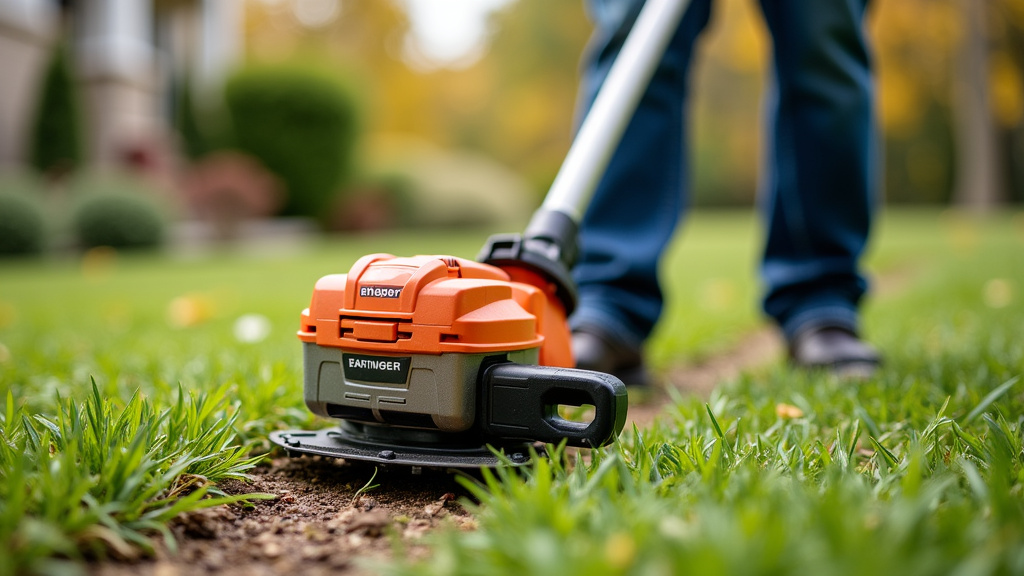
So, your battery won’t last forever. That’s just the nature of rechargeable technology. But how long can you realistically expect a battery to serve you well?
Many manufacturers offer warranties on their batteries, often ranging from one to three years. This gives you an idea of their expected performance life. After the warranty period, you might notice a gradual decline in runtime. This is normal wear and tear.
When to Consider a Replacement
You’ll know it’s time for a new battery when you consistently get significantly less runtime than you used to, even after a full charge. If your trimmer suddenly loses power during use, or if the battery takes an unusually long time to charge, it might be failing.
For many users, the decision to buy a new battery comes down to convenience and productivity. If a battery is no longer providing enough runtime to complete your yard work, the frustration can outweigh the cost of a replacement. We found that planning ahead and having a spare battery ready can save you a lot of hassle.
Quick Checklist for Maximum Battery Life
Want to make sure you’re getting the most out of your cordless string trimmer battery? Keep these quick tips in mind:
- Store batteries in a cool, dry place.
- Use the correct Ah battery for the job.
- Avoid completely draining the battery.
- Keep your trimmer clean and well-maintained.
- Don’t force the trimmer through thick material.
- Consider a second battery for larger yards.